

You have been there. You want to download a free guide, grab a discount code, or access a tool that sits behind a registration page. So you type in your real email address, get the thing you came for, and within a few days your inbox is buried under newsletters you never asked for, promotional blasts that arrive daily, and re-engagement emails that keep going for months no matter how many times you click unsubscribe.
This is not a coincidence. Many websites collect your email specifically to market to you long after you have forgotten you ever visited them. Your email address is worth something to them, and they use it accordingly.
A temporary email service solves this problem completely. You get a real, working email address that receives messages just like a normal inbox. You use it to sign up, receive your verification code or confirmation email, and then you walk away. The address either expires on its own or you simply close the tab and never think about it again. No spam follows you home.
This post explains how these services work, which ones are worth using, and when each one makes the most sense.
How Temporary Email Services Work
A temporary email service creates a real email address on a real mail server. When someone sends an email to that address, it arrives in the inbox just as it would with any normal email account. The difference is that the inbox exists only temporarily. Depending on the service, it might last ten minutes, one hour, eight days, or as long as you keep the browser tab open.
Because the inbox is tied to the address rather than to a registered account, you do not need to create a username, set a password, or go through any verification process. You visit the website, an address is generated for you, and that is your inbox. No personal information involved.
These services are completely legal to use. People use them every day to protect their privacy, avoid spam, sign up for free trials they are not sure about, and test websites they are building. The only situation where using a disposable address causes problems is if you are creating multiple accounts on a platform specifically to abuse a free trial or circumvent a ban, which is a different issue entirely.
What Makes a Good Temporary Email Service
Not all of these tools are equally reliable. Before getting into the specific recommendations, here is what actually matters when choosing one.
Speed of delivery matters a lot. If you are waiting for a verification code to sign up for something and the email takes five minutes to arrive, you will lose patience quickly. The best services deliver incoming emails within seconds.
Multiple domain options matter because some websites have started blocking the most popular disposable email domains. A service that only offers one domain will get blocked everywhere that domain is blacklisted. A service that offers several domain options gives you more flexibility.
A clean and usable interface matters because you should be able to copy your address and check your inbox without the page being buried in intrusive pop-ups and ads.
Ease of access on mobile matters if you often sign up for things on your phone.
The Best Temporary Email Services
Temp Mail
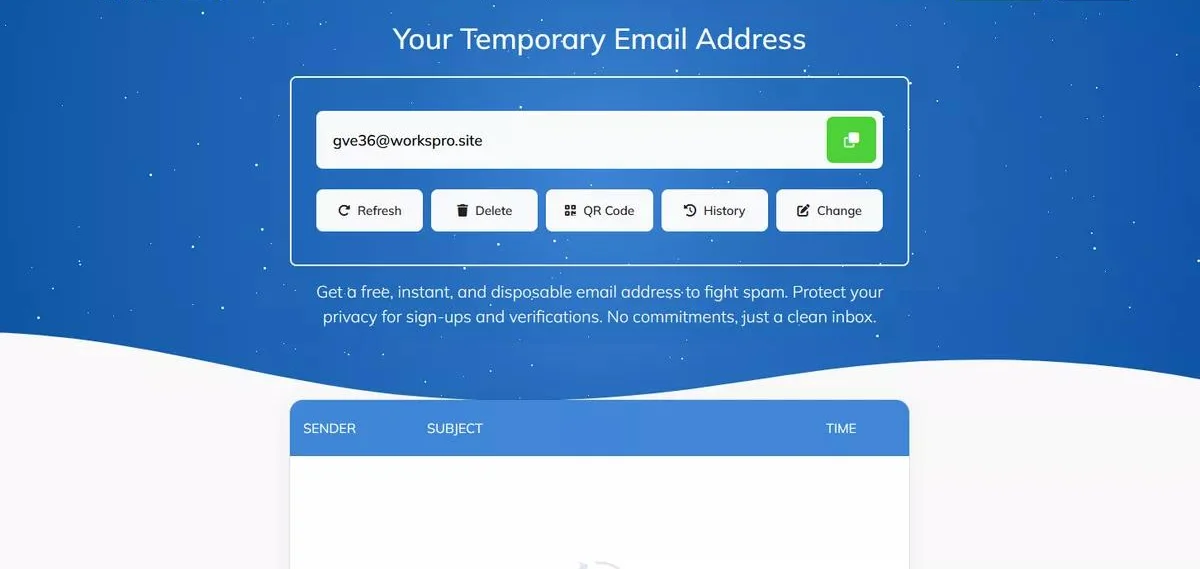
Temp Mail is the most popular temporary email service available and the one most people end up using once they discover it. The experience is as frictionless as it gets. You open the website and your email address is already there, generated and ready to copy before you have done anything at all.
The inbox updates automatically, so when a confirmation email arrives you do not have to refresh the page manually. It just appears. You click the link or copy the code, and you are done.
One feature that makes Temp Mail particularly practical is its mobile app, available for both Android and iOS. Most temporary email tools only work as websites, which can be awkward when you are trying to sign up for something on your phone. Having a dedicated app makes the whole process significantly smoother.
If the website you are registering with blocks the domain Temp Mail initially assigns you, you can generate a new address with a different domain from the options Temp Mail provides. This gets around most blacklists.
The service is free and ad-supported. The ads are present but not aggressively intrusive.
Guerrilla Mail
Guerrilla Mail has been running since 2006, which in the world of free online tools makes it practically ancient. That longevity is itself a sign of reliability. It has been around long enough to have earned genuine trust.
What makes Guerrilla Mail stand out from most other services is that it lets you send emails as well as receive them. Almost every other temporary email tool is receive-only. Guerrilla Mail gives you a fully functional inbox you can send from, which is genuinely useful in situations where you need to have a brief back-and-forth without handing over your real address.
You can choose from several domain options for your address, and you can set a custom username rather than being stuck with a randomly generated string of characters. Emails are kept for one hour before being permanently deleted.
Guerrilla Mail is also one of the more developer-friendly options, with API access available for those who want to automate testing workflows.
10 Minute Mail
The name says exactly what this service does. You get an email address. It works for ten minutes. Then it is gone.
There are no settings, no options, no customization, and no decisions to make. If you are waiting for a message when the countdown gets close to zero, you can extend the session with a button click. But if you forget about it entirely, the inbox quietly disappears without leaving any trace.
This is the right choice when you need a quick confirmation code and have zero intention of ever returning to the address. The self-destructing nature of it means there is never any cleanup to do and nothing to manage.
The limitation is obvious. If you sign up for something and later need to reset your password, receive a follow-up email, or verify your account a second time, a ten-minute address will not help you. For anything that might require returning to the inbox, use a service with longer retention.
Yopmail
Yopmail takes a notably different approach from the others. Rather than generating a random address for you, it works on the principle that any username you want at the yopmail.com domain has an inbox that is immediately accessible to anyone who knows it.
You simply go to Yopmail, type in whatever username you want, and that is your inbox. No generation step required. You can name it anything. The email stays in that inbox for eight days.
The eight-day retention period is what makes Yopmail particularly useful in some situations. If you are signing up for a service that sends a welcome email today and a follow-up with important information three days later, Yopmail will still have that inbox accessible when you need it. Other services that expire after an hour or close when you shut the browser tab will not.
The trade-off is that the inbox is essentially public. Anyone who knows the username can check the same inbox. This is fine for receiving spam-bait sign-up confirmations, but it is not suitable for anything with any personal or sensitive content.
Mailinator
Mailinator works on the same public-inbox principle as Yopmail. Any email sent to any username at mailinator.com is readable by anyone who checks that username. There is no privacy here at all, but there is also zero friction. No tools required, no website to visit in advance. You just give out a mailinator.com address and check it when you need to.
For developers testing email flows on websites they are building, Mailinator is a common go-to tool precisely because of this simplicity. You can send a test confirmation email and check it instantly without needing to manage any accounts.
For personal use, the public nature means you should only use it for the most inconsequential sign-ups where you genuinely do not care if someone else reads the inbox.
Important Things to Know Before You Use These Services
A temporary email address is a privacy tool for low-stakes situations. It is not appropriate for every kind of sign-up, and using it in the wrong context can actually cause you problems.
Do not use a temporary address for any account that matters to you. Financial services, healthcare platforms, government portals, accounts tied to payments or subscriptions, anything where you might need to recover access later, all of these need your real email address. If you ever get locked out of an account and the recovery email is a temporary inbox that no longer exists, you have potentially lost that account permanently.
Be aware that some websites check incoming email addresses against lists of known disposable email domains and refuse to accept them. This is more common on services where account quality matters, such as professional platforms, financial services, and marketplaces. If a site rejects your temporary address, that may be a signal that they take account security seriously, which is actually a reasonable thing for them to do.
The inbox on almost every free temporary email service should be treated as semi-public. Even services that present your inbox as private often run on infrastructure that is not deeply secured. Never use a temporary email address for anything that involves real personal data, passwords, or financial information.
Which One Should You Use?
For the most common situation, which is just needing to sign up somewhere and receive one confirmation email, Temp Mail handles this better than anything else. It works immediately, the inbox refreshes on its own, and the mobile app makes it convenient wherever you are.
If you specifically need to send a reply at some point, Guerrilla Mail is the only option on this list that covers both directions.
If you want the inbox to disappear automatically without any trace, 10 Minute Mail gives you that built-in self-destruction.
If you need to access the same inbox again several days later, Yopmail is the only one that keeps emails long enough to be useful.
Frequently Asked Questions
Is it legal to use a disposable email address?
Yes. Using a temporary email to protect your privacy is entirely legal. It becomes a problem only if you are using it to abuse a platform’s terms of service in a specific way, such as creating multiple accounts to exploit a free trial repeatedly.
Will websites know I am using a temporary email?
Many websites check for known disposable email domains and will reject them during sign-up. If that happens, you will see an error message asking you to use a real email address. In that case, you either need to use a different temporary domain or use your actual email.
Can I send emails from a temporary address?
Most services are receive-only. Guerrilla Mail is the main exception that also allows sending.
How long do temporary email addresses last?
It varies. 10 Minute Mail lasts ten minutes. Temp Mail lasts as long as your browser session is open. Guerrilla Mail keeps emails for one hour. Yopmail retains emails for eight days.
Are these services safe to use?
For receiving sign-up confirmation emails from ordinary websites, yes. For anything involving real personal data, passwords, or sensitive information, no. Treat temporary email inboxes as semi-public and use them accordingly.
